
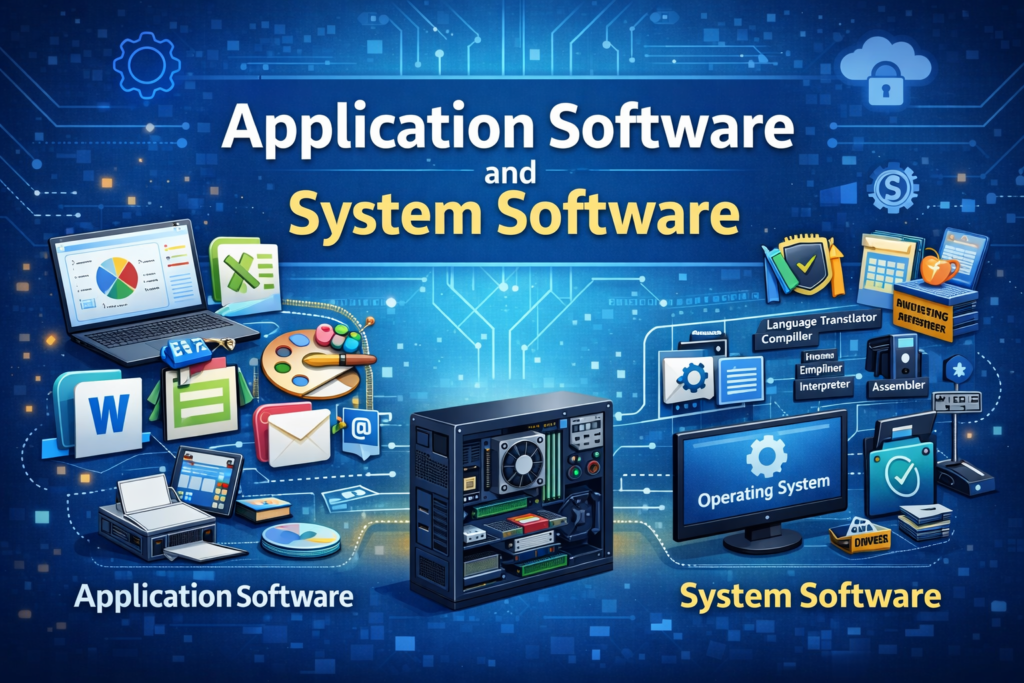
Introduction to Software
Software is an essential component of a computer system that provides instructions to the hardware on how to perform tasks. While hardware represents the physical parts of a computer, software represents the logical component that makes hardware functional. Software enables users to interact with computers, perform calculations, manage data, and execute complex operations. Broadly, software is classified into system software and application software, each serving a distinct purpose but working in close coordination.
System Software
Concept and Role of System Software
System software refers to a group of programs that control the internal operations of a computer system. It is responsible for managing hardware resources and creating an environment in which application software can run efficiently. System software operates mostly in the background and is not directly used to perform user tasks. It forms the foundation of the computer system, without which the computer cannot function.
Operating System as System Software
The operating system is the core component of system software. It acts as an intermediary between the user and the computer hardware. The operating system manages the execution of programs, controls memory usage, schedules processes, and handles input and output operations. It ensures that multiple programs can run simultaneously without conflict by allocating resources efficiently.
In addition, the operating system manages files and directories, enabling users to store, retrieve, modify, and delete data. It also provides security mechanisms such as user authentication and access control to protect system resources. Examples of operating systems include Windows, Linux, macOS, and UNIX.
Memory Management
Memory management is a crucial function of system software. The operating system decides how much memory each program receives and ensures that programs do not interfere with each other’s memory space. It also manages virtual memory, allowing the computer to use secondary storage as an extension of primary memory. Effective memory management improves system performance and stability.
Process and Processor Management
System software controls the execution of multiple processes. It determines which process should be executed by the CPU and for how long. Through techniques such as multitasking and time-sharing, the operating system ensures fair and efficient utilization of the processor. This allows users to run several applications simultaneously.
Device Management
Device management involves controlling and coordinating the functioning of hardware devices. Device drivers, which are part of system software, allow the operating system to communicate with peripheral devices such as printers, scanners, keyboards, and network adapters. The operating system manages input–output operations and ensures smooth data transfer between devices and memory.
Language Translators
Language translators are system software that convert programs written in high-level languages or assembly language into machine-readable code. Compilers translate the entire program at once, interpreters translate and execute programs line by line, and assemblers convert assembly language into machine code. These translators are essential for program execution.
Utility Software
Utility software supports the maintenance and optimization of the computer system. It helps protect the system from threats, manage storage, and improve performance. Examples include antivirus programs that protect against malware, disk management tools that organize data, backup utilities that prevent data loss, and file compression tools that reduce storage space usage.
Application Software
Concept and Importance of Application Software
Application software consists of programs designed to perform specific tasks for users. Unlike system software, application software is user-oriented and focuses on solving practical problems or fulfilling particular needs. These programs rely on system software to access hardware resources and execute instructions.
General Purpose Application Software
General purpose application software is designed to perform common tasks that are required by a wide range of users. Word processing software enables users to create and edit documents, spreadsheet software helps in performing calculations and data analysis, presentation software is used for creating slideshows, and database management software organizes large volumes of data. These applications are commonly used in offices, educational institutions, and households.
Specialized Application Software
Specialized application software is developed for specific tasks or industries. Examples include accounting software for financial management, banking software for transaction processing, hospital management systems for healthcare administration, and legal research software for law professionals. These applications are tailored to meet the specialized requirements of organizations.
Customized Application Software
Customized application software is developed according to the specific needs of an individual user or organization. Such software is designed to address unique requirements that cannot be met by off-the-shelf software. Examples include customized enterprise resource planning systems and institution-specific management software.
Relationship Between System Software and Application Software
System software and application software are interdependent. System software provides the necessary platform and resources, while application software utilizes these resources to perform tasks. Application software cannot function without system software, whereas system software can operate independently of application software.
Key Differences in Functioning
System software runs automatically when the computer starts and remains active as long as the system is running. It focuses on system efficiency, stability, and security. Application software, on the other hand, is launched by the user as needed and focuses on completing specific tasks. System software interacts directly with hardware, while application software interacts with the user.
Conclusion
System software and application software together enable the effective functioning of a computer system. System software manages hardware and system resources, providing a stable and secure environment, while application software allows users to perform meaningful activities. A clear understanding of both types of software is essential for computer fundamentals, cyber security studies, and information technology education.